
Last Updated on August 19, 2025
How to Spread the Word and Post a Lost Pet on Nextdoor with PawBoost
PawBoost and Nextdoor are committed to solving the lost pet problem. That’s why we’re making it even easier for you to spread the word about local lost pets in your neighborhood! Learn how to share PawBoost alerts with your neighbors on Nextdoor:
Automatically Share Lost Pets to Nextdoor

Sharing lost pets to Nextdoor just got easier! The PawBoost-Nextdoor integration allows you to automatically share nearby pets (lost or found within 2 miles) to your Nextdoor feed. This type of sharing has proven effective in creating more happy reunions.
Become the PawBoost point-person for your neighborhood today by turning on Nextdoor Auto-Share.
Setup takes just a few clicks, and auto-sharing can be disabled at any time.
If you want to turn off auto-sharing to Nextdoor, you can do so at any time from your PawBoost Account section.
Manually Share Lost Pets to Nextdoor
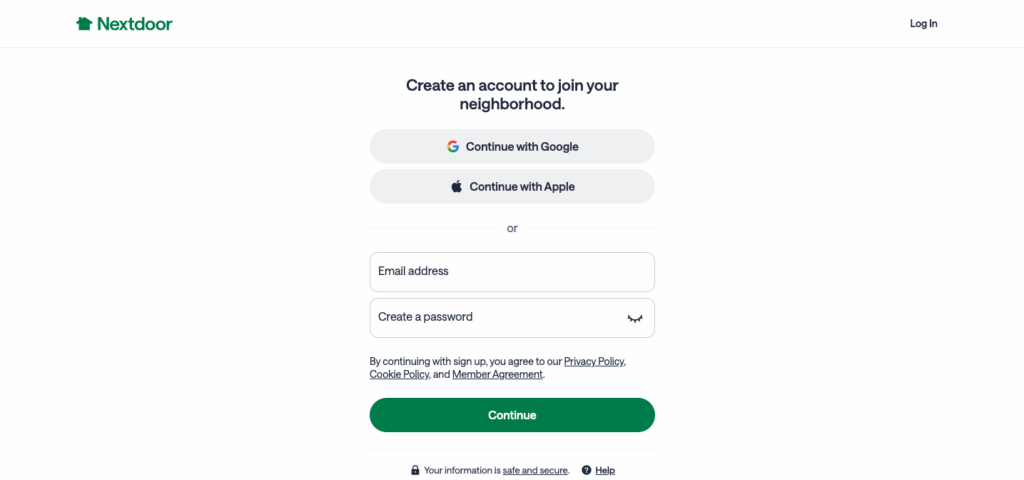
1. Create Your Nextdoor Account
Create an account or sign in to your Nextdoor account. Please note you will need to verify that you live at your address to join your neighborhood.
2. Find Your Lost Pet Alert on PawBoost
Go to PawBoost’s Lost & Found Database, find the pet’s alert you want to share and click the ‘Share On Nextdoor’ button.
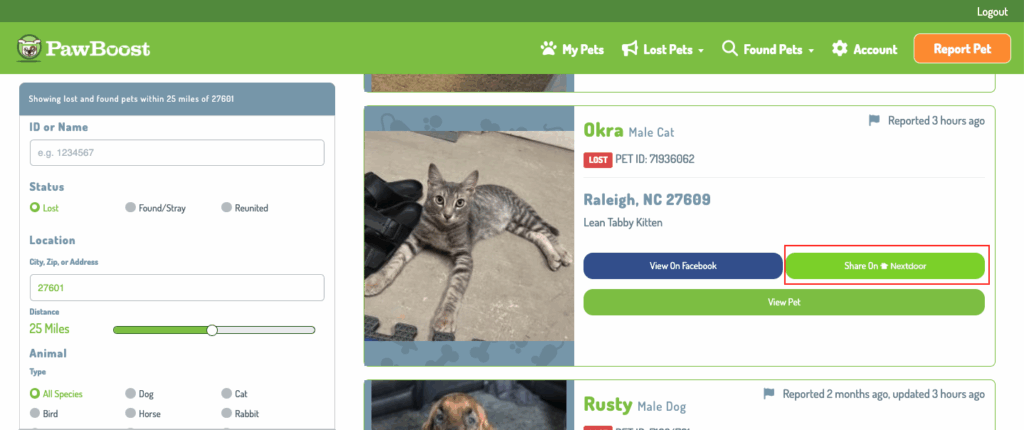
3. Click ‘Share on Nextdoor’
You will be directed to Nextdoor’s website or app and a prefilled post will appear.
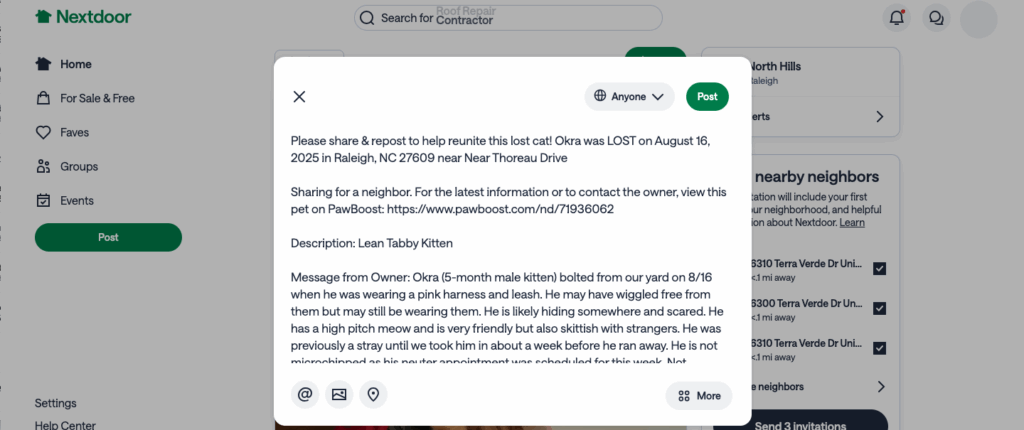
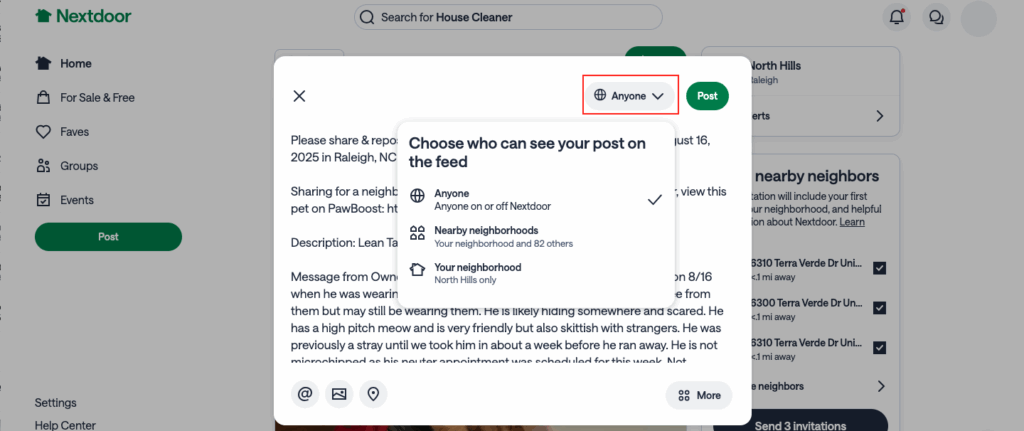
4. Select Your Settings and Post!
Select privacy settings to choose the neighbors you’d like to see the post and click the ‘Post’ button.
Here to Help Get Lost Dogs and Cats Get Home Sooner
Congrats! You’ve officially shared your first PawBoost alert to your neighbors 🙂
Search the #PawBoost to see lost & found pet alerts in your area!
Share lost pets to Nextdoor directly from the PawBoost email alert system, too!
Comments are closed.